WordPress Real Media Library - Media Categories & Folders 4.22.79
Wordpress Plugins Codecanyon 4.8 (4.3K reviews)
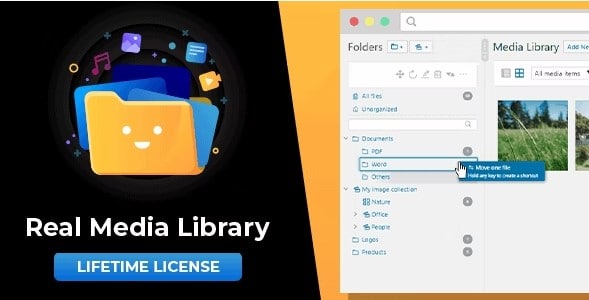
WordPress sites accumulate images quickly. What starts as a handful of uploads can become a sprawling collection of hundreds or even thousands of files, all sitting in one flat list. Finding the right photo for a blog post or page becomes a chore. Real Media Library fixes this by adding a proper folder structure to the WordPress media library. Instead of scanning through endless thumbnails, you can file images into folders that make sense for your site. That might mean folders for each blog post, for product images, for headers, or for client work. The plugin brings a familiar file-manager style to the WordPress dashboard, so you finally have a clear, hierarchical view of your media. It's a premium plugin built for people who manage more content-heavy sites and want to spend less time constantly hunting for assets. The longer your site runs, the worse the lack of organization becomes.
Once installed, you get full control over your organizational structure. Create folders directly in the media library, name them whatever fits your workflow, and move images around with simple drag-and-drop. Need to rename a folder after establishing your structure? That works too, along with deleting folders that are no longer useful. You can also rearrange the order of folders, so the folder list reflects your priorities instead of an arbitrary alphabetical system. The interface mirrors the left-side navigation found in desktop file managers, meaning there is no steep learning curve. If you have used Explorer or Finder, you already know how to work with this plugin. Every action, from creating a folder to moving a file, happens without leaving the WordPress admin area. Dragging and dropping files works both for new uploads and for existing images that need to be reorganized, which makes catching up on years of clutter a straightforward task.
More from this category

 AffiliateWP


Beyond the basic folder management, the plugin changes how you interact with media throughout WordPress. When you are writing a post and click the button to add an image, the insert media dialog gains a folder filter. Instead of scrolling through every uploaded file, you can narrow the view to a single folder and pick the right image right away. That small addition saves a surprising amount of time when you work with large libraries. The uploader itself gets an upgrade too, allowing you to choose a destination folder before files hit the server, so new assets are organized from the moment they arrive. Galleries also become easier to handle. You can create a dynamic gallery directly from a folder, which means the gallery automatically reflects the images currently in that folder. Add a new image to the folder later, and the gallery updates to include it without any extra work.
Real Media Library was built to handle the reality of content-heavy websites. It does not try to replace your workflow; it simply gives the media library the structure it should have had from the beginning. The plugin is distributed through CodeCanyon, meaning you receive a professionally maintained product that follows WordPress coding standards. Everything works inside the existing admin screens, so there is no separate dashboard to learn and no third-party service to rely on. Files stay in your own installation, folders stay in your database, and the whole setup remains as portable as any other WordPress plugin. For anyone who publishes regularly, organizes a large stock of images, or manages a team that shares media, having a clear folder structure changes the daily experience. You stop asking where something is and start knowing exactly where it lives. That is the core promise of Real Media Library, and it delivers on that promise without demanding changes to how you already use WordPress.
- Last updated
- August 10, 2026
- Delivery
- Digital
- Availability
- In stock
- Version
- 4.22.79
- Category
- Wordpress Plugins
- Item type
- plugin
The WordPress Real Media Library - Media Categories & Folders listing is available in Wordpress Plugins as a plugin. Check the description, item facts, and purchase details to assess its relevance to a project.
Usage rights depend on the license selected at checkout. Review the complete terms before using this item for client work, redistribution, SaaS, or more than one end product.