Timetable Responsive Schedule For WordPress 7.4
Wordpress Plugins Codecanyon 4.8 (3.4K reviews)
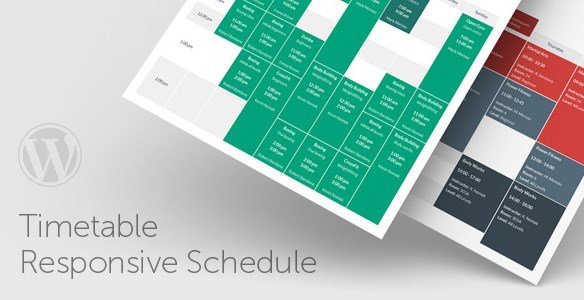
Timetable Responsive Schedule for WordPress is a plugin that turns a regular WordPress site into a place where people can see your schedule at a glance. Instead of building a calendar from scratch, you install this plugin and start adding your events, classes, lessons, or appointments right away. The whole thing is designed to be visual and straightforward. You get a dedicated timetable view that shows what happens each day of the week, with time slots and event names clearly laid out. Because it runs inside your WordPress dashboard, there is no separate system to learn. You add an event, assign it to a time slot, and it appears on your timetable. The plugin handles the layout automatically, so you do not have to touch any code to get a professional-looking result. The timetable adapts to the way you set it up, whether you need it for a single room or for many different groups.
The plugin is fully responsive, which means the timetable rearranges itself to fit phones, tablets, and desktop screens without any extra work from you. On a small screen, the columns shrink and the text stays readable, so visitors can check your schedule no matter what device they carry. You can create as many timetables as you need, each with its own set of events. If you run a gym, a music school, or a coworking space, you might want one timetable for Monday through Friday and another for weekend hours. Every event appears as a block on the grid, and when someone hovers over that block, a tooltip pops up with extra details like the instructor, location, or a short description. There is also a filtering option that lets visitors narrow down the timetable by category or group, so they can quickly find the class they care about.
Sharing a timetable on a page is handled through a shortcode generator. You pick which timetable you want to show, choose a few display options, and the plugin gives you a shortcode to paste anywhere on your site. That means you can place a schedule on its own page, inside a sidebar, or even within a post if that is where people expect it. Alongside the main timetable, there is an upcoming events widget that lists the next few events coming up. This is handy for a homepage widget area, giving visitors a quick summary without loading the full timetable. Customization is built into the plugin as well. A color picker lets you change the look of each timetable block, while a font configurator adjusts the text style and size. You can make the schedule match your site’s existing design instead of looking like a generic add-on.
Setting up the plugin does not require any special technical knowledge. You install it like any other WordPress plugin, then work through the event and timetable screens at your own pace. The interface is clear enough for someone who has never built a schedule before, but it offers enough options for a busy site that needs multiple, distinct timetables. Any WordPress site that publishes recurring or one-off events can benefit from this approach. Schools can show class timetables, churches can display service times, clinics can post staff schedules, and community centers can list activities for each day. The plugin keeps everything in one place, so updating a time change takes just a few clicks. There is no need to recreate a schedule every week when the structure stays the same. With the tooltip, filtering, widget, and customization features all working together, Timetable Responsive Schedule for WordPress gives site owners a practical way to present time-based information.

 Yithemes


- Item type
- plugin
- Category
- Wordpress Plugins
- Version
- 7.4
- Availability
- In stock
- Delivery
- Digital
- Last updated
- August 10, 2026
Timetable Responsive Schedule For WordPress is one of the Wordpress Plugins items recorded as a plugin. The content below uses the supplied listing information and current local catalog data.
Usage rights depend on the license selected at checkout. Review the complete terms before using this item for client work, redistribution, SaaS, or more than one end product.