Dirly | Directory Listing PSD Template Latest Version
Others Themeforest 4.8 (4.2K reviews)
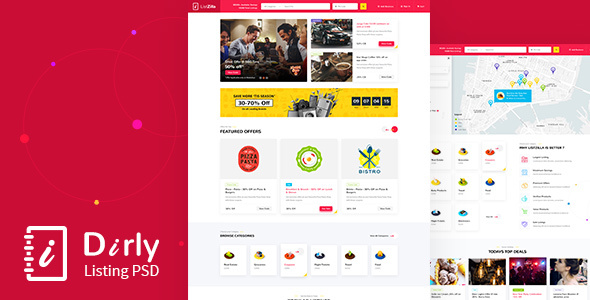
Directory, Classifieds Listing PSD Template. Business listing directory template helps you create listing ads, local business info site, tourist guide, guide service, tourist agency, Travel Agencies, Hotels, tour Operators, city tourism, tours, tour guides, travel guide, hotels, Airlines, Properties, Hotels, Restaurants, Travel destinations retail, farming, gardening, bistro, repair shops, Doctor website, pets shop, gym, job board, yellow pages AD, classified ads and any other related multipurpose business directory website.
Highly Flexible, search engine optimized business listing template suits for companies/agencies that provide services for tourist: can be used to provide general city attractions information, buy tickets, tourist guide, city guide, local guide, tourist, Tourist Spot Presentation, Tourism Promotion, tourist attractions, events, services, and businesses website.
Comes with 3 Unique Homes with all the necessary elements that you can easily customize to any directory for a coupon website. Start editing Dirly and create a Listing website using Adobe Photoshop.
All the elements are as shapes that are editable and can be customized easily without recreating it. With the right naming of files and easily editable shapes you can customize this template to any Directory Listing Website.
Dirly is provided with 6 unique pages.
- 01_Home
- 02_Home ii
- 03_Home iii
- 04_List
- 05_Detail
- 06_About
How to use:
Download and Install font from Font Awesome and Material Icons
Select any font icon from the sheet and paste in the text editor of Photoshop and change the font as FontAwesome or Material Icons.
Images:
Image areas are placed as placeholder items. You can add your own images as clipping areas on those shapes. Most of the images are from Shutter Stock
Icons:
Icons are from Free Font Icons and from Shutter Stock. Icons are fully editable and can be customized easily.
Colors:
Colors can be easily changed by clicking the shape to any color you want.
Edit-ability:
All design areas are provided as shapes. Create unique design by editing those shapes. You need another vector application like adobe illustrator to edit the ‘Vector Smart Object’ mostly icons.
NOTE: Images used in the demo are not included for download, these images are copyrighted, if you are planning to use the photos we can provide the links to buy license.
 Themeforest
- Last updated
- September 29, 2026
- Delivery
- Digital
- Availability
- In stock
- Version
- Latest Version
- Category
- Others
- Item type
- template
Listed under Others, Dirly | Directory Listing PSD Template is a template. This presentation keeps the product name and recorded facts intact while organizing the details for easier review.
Usage rights depend on the license selected at checkout. Review the complete terms before using this item for client work, redistribution, SaaS, or more than one end product.