Hommie Furniture Sketch and Figma Mobile App UI Kit Latest Version
Others Themeforest 4.8 (1.3K reviews)
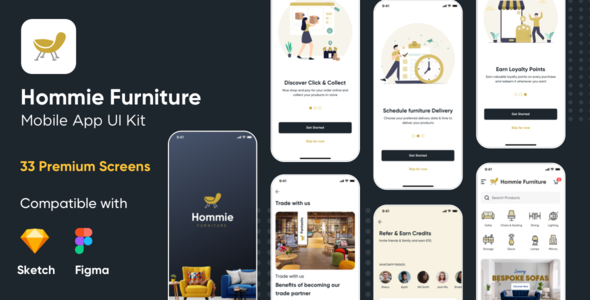
Hommie Furniture – Mobile App UI Kit for Sketch & Figma App
Hommie Furniture Mobile App UI kit dedicated for Order Furniture Online and Deliver it at your home.
List of Files: Hommie furniture sketch mobile app UI Kit.sketch (including 33 App screens)
Related products

 Themeforest

List of Files: Hommie furniture figma mobile app UI Kit.fig (including 33 App screens)
Features
33 Premium screens in iPhone X resolution (375*812px) iOS and Android
- Compatible 100% customizable UI elements
- Fully Vector Layers
- Responsive Layer Structure Sketch + Figma compatible
UI Kit has following screens.
1.1 Splash screen 1.2 Onboarding 1 1.3 Onboarding 2 1.4 Onboarding 3 1.5 Mobile Homepage 1.6 Mobile-Sign In Menu 1.7 Full Categories 1.8 Product Listing 1.9 Product Listing Filter sticky 1.10 Filter 1.11 Trade with us 1.12 Product Details 1.13 Empty basket 1.14 Mobile Cart 1.15 Sign In 1.16 Sign Up 1.17 Signup-Verify OTP 1.18 Checkout 01 1.19 Checkout 02 1.20 Checkout 03 1.21 order Success 1.22 order Failed 1.23 My Orders 1.24 Refer n earn 1.25 Add Money 1.26 Add Money pay mode 1.27 Favorites 1.28 Store Locator 1.29 Store Listing 1.30 Support Chat 1.31 Feedback App 1.32 Faq’s Topic 1.33 Faq’s Answer
How to use sketch file & Figma File You just need to download some appropriate images from the image bank or given below links (eg. www.shutterstock.com or www.pexels.com ). Just place the images into a sketch file. You can also edit any text, Navigation Menu, color or any font file by double click and change the same. Make sure your image sizes are as per the mentioned sizes in the sketch file. and don’t forget to install the given font in the main file. You can also download the trial version of the sketch from here. https://www.sketchapp.com/
Also you can download the Figma App from https://www.figma.com/You can edit any text, colors or any component by double click and change the same Add or Replace Images: Select the Group Layer of a section of the Template, then double click on the single layer were you can put a image; now on the right you can see a menu with a lot of options of customization, just click “choose image” and..
Customization & InstallationYou need to download the sketch version from www.sketchapp.com but its a paid software. After installation sketch software, you need to install the font given in this item. I have mentioned the placeholder with the size of the image used in the UI kit. You need to put the images as per the given or mentioned sizes in the artboard. You need use the images as per the mentioned placeholder. Refer to the help file attached
Sketch App versionVersion 70.6
Figma Desktop App Version 95.7
Font UsedYou need to install fonts below before editing the sketch files (you can find them inside the zip file) Gilroy Font
Graphic UsedMany thanks for these great images to: https://www.flaticon.com/home https://www.freepik.com https://www.pexels.com
Note: All images are just used for Preview Purpose Only. They are not part of the website template and NOT included in the final purchase files. I have mentioned the placeholder with the size of the image used in the UI kit. You need to put the images as per the given or mentioned sizes in the artboard
- Last updated
- October 3, 2026
- Delivery
- Digital
- Availability
- In stock
- Version
- Latest Version
- Category
- Others
- Item type
- digital product
Listed under Others, Hommie Furniture Sketch and Figma Mobile App UI Kit is a digital product. This presentation keeps the product name and recorded facts intact while organizing the details for easier review.
Usage rights depend on the license selected at checkout. Review the complete terms before using this item for client work, redistribution, SaaS, or more than one end product.