kbdoc - Documentation And Knowledge Base HTML5 Template with Helpdesk Forum Latest Version
HTML Templates Themeforest 4.8 (849 reviews)
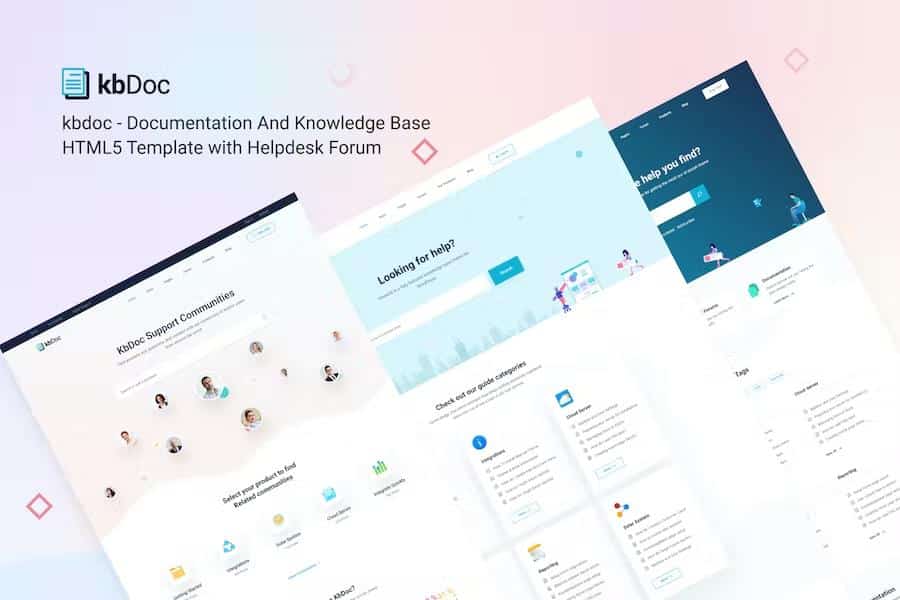
The kbdoc template serves as a structured HTML5 foundation for creators who need to build online documentation or a knowledge base for their software projects. Built using Bootstrap 4.3, this collection of files provides the necessary markup to present technical information such as API references, user manuals, and framework guides in a clean, readable format. You receive over 35 pre-designed pages that handle various aspects of technical communication, including directory structures, file tree navigation, and change logs. Developers can modify the styling through the provided SCSS files, which allow for adjustments to the visual presentation while maintaining the core layout integrity. By using standard HTML5 and CSS3, the template ensures that your documentation remains accessible across modern web browsers. This product is intended for those who prefer to build their own documentation sites from scratch without relying on complex content management systems or proprietary software platforms that might limit your control over the underlying code.
Functionality within this template focuses on improving the reading experience for your end users through interactive elements. Readers can toggle between light and dark modes to suit their environment or adjust font sizes for better visibility. The layout supports both full-width and boxed containers, providing flexibility in how you display your content. Navigation is handled by a responsive sidebar that can be configured as sticky or non-sticky, depending on your design preference. A table of contents feature automatically tracks the user's position on the page, making it easier for readers to jump between sections of long articles. You can also include footnotes for references and tooltips that provide quick previews of other pages. These specific tools help organize dense technical information into a more digestible format, ensuring that your users can find the answers they need quickly without feeling overwhelmed by the volume of text on their screens.
Visual aids and media integration are core components of this template, allowing you to explain complex concepts using more than just text. The image hotspot feature enables you to highlight specific parts of a screenshot or diagram, which is useful for explaining software interfaces or hardware components. You can embed videos from platforms like YouTube, Vimeo, or your own self-hosted files, and the template handles the responsive scaling automatically. Furthermore, the inclusion of a syntax highlighter ensures that code blocks appear formatted and distinct from regular text, which is essential for any technical documentation project. Alerts, notes, and message boxes are available to draw attention to important warnings or best practices throughout your articles. By using these elements, you can create a professional look that guides users through your product features, setup processes, or troubleshooting steps while keeping the visual style consistent across every page you publish.
Technical implementation is straightforward because the code is well-commented and follows semantic standards, making it easy for you to maintain or expand upon later. The package includes a variety of UI components such as accordions, tabs, carousels, and lightboxes that add interactivity without requiring deep coding knowledge. You can display property tables to compare data or use the directory explanation component to map out your software architecture. Because the template is optimized for search engines, your documentation pages are structured to be more discoverable by web crawlers. The design relies on free Google Fonts and icon sets like Font Awesome to ensure that your typography and graphics remain crisp on high-resolution displays. By managing your own documentation using these validated files, you maintain full ownership of your content and hosting environment, avoiding the constraints often found in closed-source platforms while presenting a polished, professional face to your customers and fellow developers.

 Themeforest

- Last updated
- September 24, 2026
- Delivery
- Digital
- Availability
- In stock
- Version
- Latest Version
- Category
- HTML Templates
- Item type
- template
kbdoc - Documentation And Knowledge Base HTML5 Template with Helpdesk Forum is listed in HTML Templates as a template. The supplied description, preview, version, price, and recorded product details are collected here for review.
Usage rights depend on the license selected at checkout. Review the complete terms before using this item for client work, redistribution, SaaS, or more than one end product.